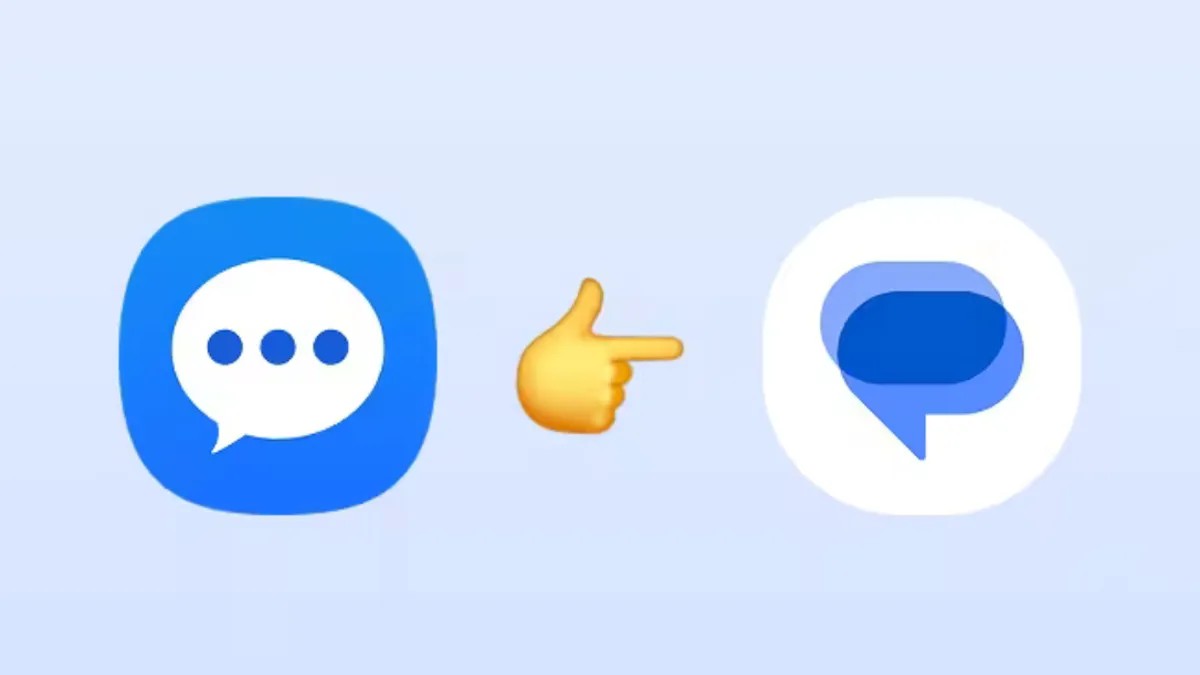
The long-standing era of the native Samsung Messages app is officially drawing to a close. Samsung has announced that it will deactivate its legacy texting platform this July, making the transition to a new messaging service a necessity for Galaxy users.
For years, Samsung has been gradually shifting its ecosystem toward Google’s messaging standards, but for many users, the change is finally becoming mandatory.
The End of an Era: What You Need to Know
Samsung began the transition toward Google Messages as early as 2021, but the final phase is now underway. While the company has not specified the exact date in July when the service will cease, the implications are clear:
- Functionality Loss: Once the app is deactivated, it will no longer support standard SMS/MMS. The only remaining functionality will be the ability to contact emergency services.
- No More Downloads: Newer devices, such as the Galaxy S26, do not come with Samsung Messages pre-installed. Once the July deadline passes, the app will no longer be available for download on existing devices.
- Device Compatibility: Users on Android 11 or lower are not technically forced to switch, though Samsung suggests moving to a modern app for better security and features.
Why the Shift? The Rise of RCS and Google Integration
This move is part of a broader trend in the Android ecosystem toward RCS (Rich Communication Services). By moving away from its proprietary app and toward Google Messages, Samsung is aligning itself with the industry standard that offers a much more modern texting experience.
Compared to the legacy Samsung app, Google Messages provides several key advantages:
– Enhanced Features: RCS enables typing indicators, high-quality media sharing, and more seamless group chats.
– AI Integration: The app includes Google’s Gemini AI features and advanced AI-powered spam detection.
– Cross-Platform Utility: Google Messages offers multi-device access, allowing users to manage chats across different hardware more effectively.
How to Migrate Your Messages
To avoid a disruption in your ability to communicate, Samsung recommends migrating to Google Messages immediately.
- Download the App: If it is not already on your device, download Google Messages from the Google Play Store.
- Set as Default: Upon launching the app, follow the prompts to set it as your default SMS application.
- Explore Alternatives: If you prefer not to use Google’s ecosystem, there are various other SMS alternatives available on the Play Store.
A Note for Galaxy Watch Users
The transition also affects wearable technology. Users with older Galaxy Watches running Tizen OS should be aware that they will lose access to their full conversation history. Because Tizen-based watches cannot run Google Messages, they will still be able to send and receive texts, but they will lack the deep integration seen in newer models.
Conversely, users with Galaxy Watch 4 or newer (running WearOS) will not face this issue, as these devices are fully compatible with Google Messages and will maintain full access to conversation histories.
Summary: Samsung is officially retiring its native messaging app this July in favor of Google Messages. To ensure uninterrupted service and access to modern features like RCS, users should switch to Google Messages or an alternative SMS app before the deadline.