Pinterest is more than just a social network. It’s a visual search engine disguised as a social feed. I use it not only to communicate with people, but also to store ideas. The core mechanism is simple. Pin it. Organize it. Find it later. This is true whether you’re planning a wedding, creating a new feature, or looking for new recipes.
The real strength of this platform is its accessibility. You don’t have to search for a special installer or deal with compatibility issues. This ecosystem is designed to track users across all screens.
Download Pinterest for mobile devices
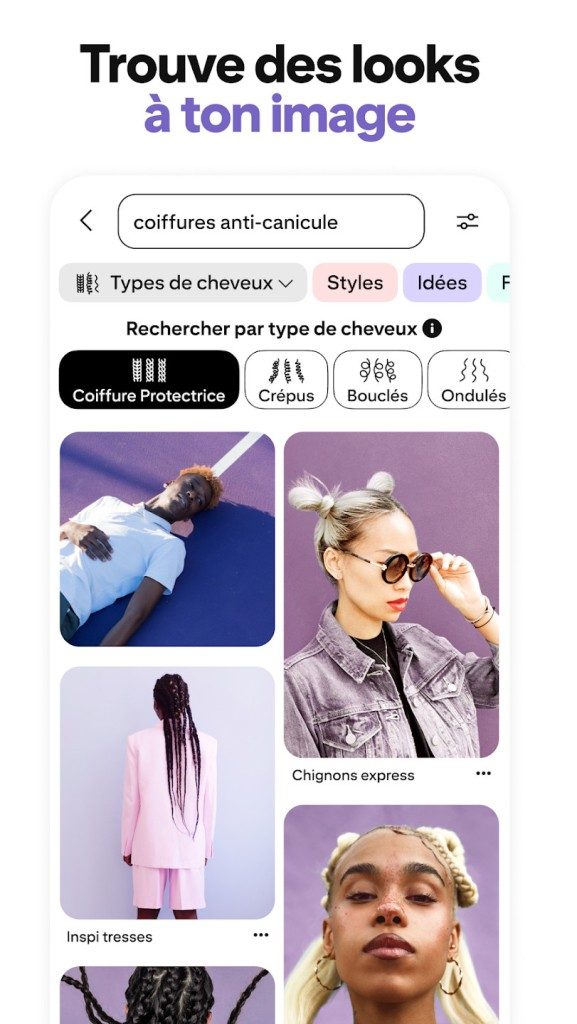
Most users start here. The application is available from standard application stores. It’s free. The installation process is as easy as downloading any other utility.
If you’re an Android user, visit the Google Play Store. Search for “Pinterest”. Click Install. The app does the rest. If you choose to link it, it will sync with your Google account, but you can leave it as email.
iPhone and iPad users go to the Apple App Store. The process is the same. download. open. Create an account or log in. The user interface is clean. The recommendation algorithm kicks in immediately and selects your feed based on your initial selection. This isn’t just random content. It learns what you like.
No software required to access Pinterest on your desktop
No Windows or Mac desktop app required. Pinterest has moved to a browser-first model for big screens. This is actually a better way for advanced users. You can save yourself the trouble of updating the software. Just use what you already have.
The web version works with Chrome, Firefox, Edge, Safari and other modern browsers. Works on Windows, macOS and Linux. All you need is an internet connection and a browser. There are no system requirements to speak of.
“Pinterest works as a cloud-based service, which means that your boards and Pins exist independently of your individual devices.”
This cloud architecture is key. There is no data on the hard drive. Lives on Pinterest’s servers. Log in on any device and everything is there. There are no sync errors. No more lost pins.
Use official browser extensions
This is where the desktop experience becomes powerful. Pinterest offers official extensions for Google Chrome, Mozilla Firefox and Microsoft Edge. These are not third party hacks. These are built by Pinterest.
Install it from your browser’s online store. This will take a few seconds. Once enabled, a small button will appear on the screen. Use it to “pin” images directly from the websites you visit. This eliminates the need to open the Pinterest app or website separately. You can curate mood boards while browsing the web. Turn passive scrolling into an active collection.
This plugin also allows you to save product pins and link them directly to retailers. This bridges the gap between inspiration and action. You see something you like. You save it. You can usually buy directly from Pin.
Why is cross-platform compatibility important?
Why is this important to you? Because life happens on multiple screens. You might find design ideas on your smartphone on your commute. You need to show it to your team on your laptop. Later, you want to refine the moodboard on a tablet.
Pinterest handles this fluidly. A “cloud” approach ensures consistency. Your boards are accessible everywhere. There is no version difference between the mobile and desktop versions. There is no proprietary format that locks users into the ecosystem.
This flexibility supports personal and professional workflows.
Personal and professional use cases
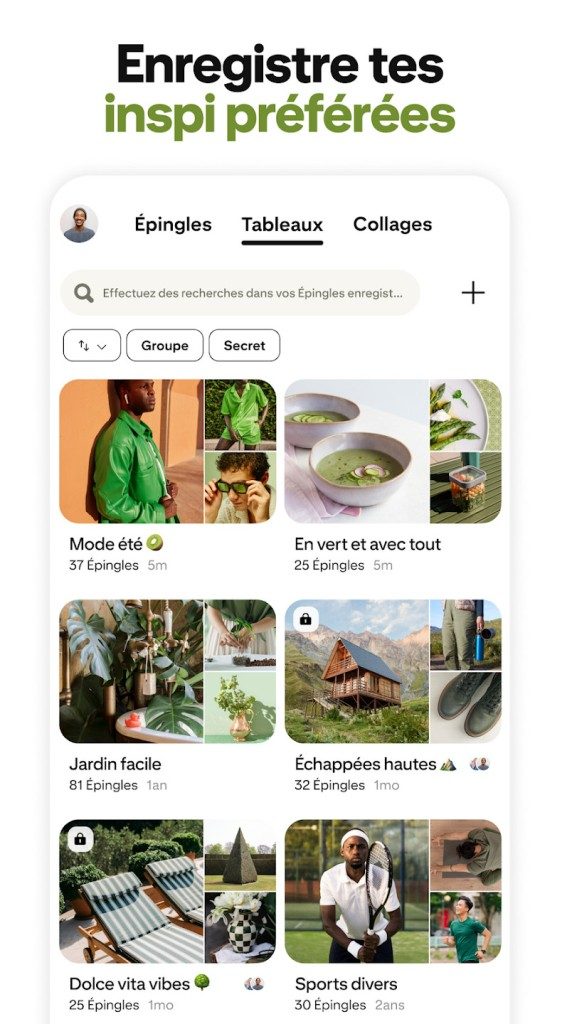
On a personal level, Pinterest has replaced my messy creative drawer. Not organized. You can create boards for specific topics. Home decor. Travel plans. Workout routines. The algorithm suggests new pins based on the card’s activity. It gets smarter over time.
Professionally, it is a visual repository. Designers use it for mood boards. Marketers follow trends. Educators share visual aids. This platform supports collaborative boards. Multiple users can contribute to the same project. This makes it useful for remote teams and groups of students.
Pinterest also offers visual search tools. Scan physical objects with your phone’s camera. Pinterest finds similar items on the platform. This is a powerful way to find products and styles without keywords.
This tool is very versatile. It simplifies planning. It enhances communication. And it doesn’t require a lot of hardware.

Pinterest and the tech giants
Pinterest doesn’t follow the rules of other social media giants. Take Instagram, Facebook and TikTok for example. They thrive on direct interaction. A news feed is a stream of social updates. Messages are the core. Friendship charts are important.
Pinterest is different. It’s all about curation. Not connection.
You don’t build a social graph of your friends. You are building a library. A visual archive. Think of it as a digital scrapbook that anyone can view. The goal is discovery. inspiration. Not checking in with your high school buddies.
There is cooperation, but it looks different. You can join boards with other people. You can pin other people’s findings. But the friend button is not an engine. The engine is an idea.
Lifetime and search depth
The content of other platforms disappears quickly. Stories disappear within 24 hours. The tweet will go down in history. Pinterest content still exists.
Pins saved on your board can be found months later. Years later. It’s evergreen. This makes this platform very useful for long-term projects. Watch list. Planning. Archiving themes. It is a tool not only for the present, but also for the future.
This longevity is supported by a powerful in-house search engine. You don’t just scroll. you are hunting. You can search by keyword. By color. By image. The reach of a pin is amplified by this discoverability. What matters is not who published it, but what it is.
Who Really Uses Pinterest?
The user base is extensive. This is more than just demographics.
- Curious person: Hobbyists and dreamers.
- Creative professionals: Designers and artists building portfolios.
- Companies: Brands use visual storytelling to driving traffic to websites
It’s a hybrid space. Inspiration meets organization. This structure attracts people who want to do something with their interests. Don’t just passively consume content.
Get started and stay informed
You don’t need a computer science degree to use Pinterest. Barriers to entry are low. But if you want to master it, the resources are there.
Formations are available. Both online and in person. This includes:
– Creating attractive content.
– Optimizing pins for internal SEO.
– Visual communication strategies.
– Manage your business account.
These courses help users navigate the ecosystem. Whether you’re a beginner or a pro, there are best practices to learn.
Updates happen automatically. No manual downloads required for the basics. Applications are updated through the standard app stores (iOS or Android). Browser extensions are updated in the background. To force an update, go to your device’s settings. For the average user, this is seamless.
Costs and access
Pinterest is free.
There is no paid license for standard use. Works on both mobile and desktop computers. Students, teachers, creators and regular users are not charged.
There is a business tier. Offers advanced marketing tools. Analyze. However, the core experience is free.
Older versions of the app are actually no longer available for download. The platform pushes the latest version. It prioritizes security and evolution. You’re always on the current build.
This accessibility. The lack of paywalls. Multi-device support. These factors make Pinterest indispensable. It’s more than just a social network. It’s a management tool for your ideas. and your expertise.
You don’t need to search for a desktop installer to get started. Pinterest works primarily as an online service with a mobile app, so there are practically non-existent to access. Although the platform is free for individual users, its basic business model is based on advertising tools. This distinction is important if you are a brand manager rather than a DIYer.
The technology stack is versatile. You can use the service through a Windows, macOS or Linux browser. There is no separate Windows desktop application. If you use a mobile device, the app can be found in the Google Play Store for Android or the App Store for iOS. It’s free.
Browser integrations and extensions
One of the most powerful features for desktop users is the official extension pack. They work with Google Chrome, Microsoft Edge and Mozilla Firefox. These are more than just bookmarks. You can save pictures and videos directly from your browsing session. This creates a seamless loop between discovery and curation.
This requires a free account. You cannot pin anonymously. This platform synchronizes data between devices via the cloud. Want to add a PIN to Chrome? It will appear on your phone immediately. No need to manual uploads. No friction.
The platform supports standard formats. Images such as JPEG, PNG and WebP can be used. Videos are also available in MP4 or MOV format. Connections must be safe. Pinterest requires a stable internet connection to work properly.
System Requirements and Compatibility
Pinterest is still compatible with the latest versions of major browsers. Chrome, Firefox, Edge, and Safari are all viable options. The user interface is multilingual and includes support for French.
Here’s a breakdown of technical footprint:
- OS: Android and iOS mobile devices. Any operating system with a modern desktop browser.
- User interface languages: Multiple languages including French.
- Content formats: Images (JPEG, PNG, WebP), videos (MP4, MOV), external links.
- Privacy Controls: Users can create private “secret” or collaborative boards. The visibility settings are adjustable.
Visual search and algorithm logic
Reviews of the platform emphasize its role as a visual discovery engine. This is not a social network in the traditional sense of connecting with friends. It is a design tool. The user interface is refined. recommendation engine is aggressive in its relevance.
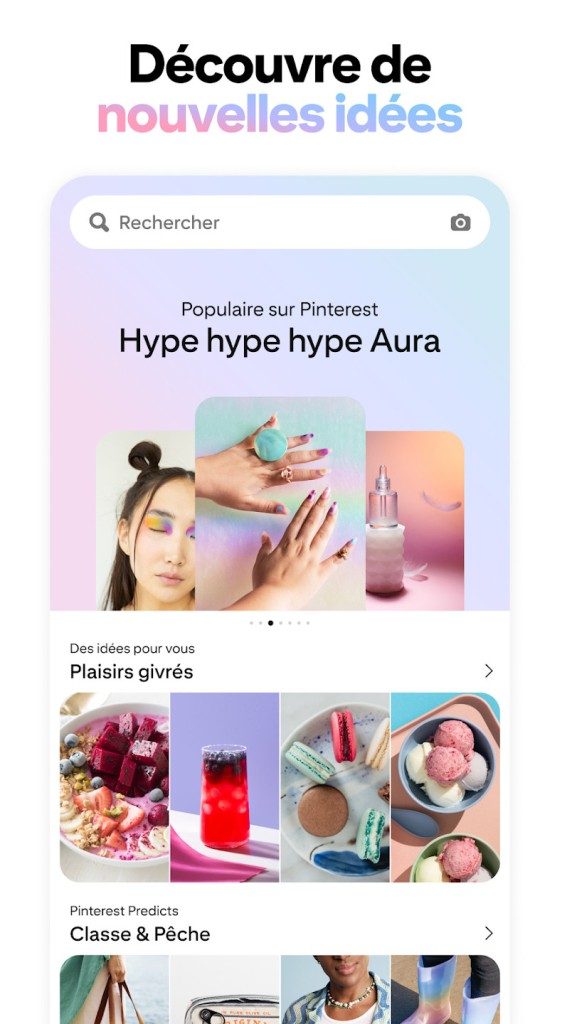
Visual search is a key differentiator. Upload an image to find similar content. This adds tangible utility to the navigation experience. Whether you’re looking for recipe inspiration, design ideas, DIY guides, or more, visual indexing will help you find what you’re looking for without the need for specific keywords.
management of boards, sections and pins is very easy. Collaboration features allow teams and families to share folders. Cloud synchronization works without noticeable delays.
Trade-offs
There are limits. Your feed may be biased towards advertising or commercial content. This disrupts organic discovery. The personalization engine relies on browsing data. If you are concerned about your privacy, you should change your settings to limit ad targeting.
The reliability of the source is another matter. Not all pins link to verified sources. Please check the original website before following the tutorial or making a purchase.
Some users may prefer native Windows applications. For most people, the absence of this is not a dealbreaker, but for those looking for a standalone desktop experience, its absence is noticeable.
Final Verdict
Pinterest is still a powerful solution for curating visual content. Perfect for personal projects, educational resources and professional mood boards. The combination of mobile apps and browser extensions creates a unified ecosystem for capturing and organizing ideas.
It’s a powerful environment for those who enjoy thematic curation. Just manage your privacy settings and check the origin.


Hidden costs of old architectures
Most teams don’t realize they’re losing money until the bill arrives.
It’s not just the license fee. This is maintenance. patches. Countless hours were spent trying to keep the old system from collapsing under its own weight. You buy a platform to increase efficiency. You face a hostage situation.
The real problem is not the technology itself. This is inertia.
Once you’re locked into a specific vendor ecosystem, switching costs skyrocket. Data transfer can be a nightmare. Training new employees means teaching two different work processes. The friction is real. And expensive.
Why the newest stack wins
New platforms are built differently. They prioritize API-first design. This means that the integration is not an afterthought. It’s the foundation.
Think about how data flows.
In old systems, data is siloed. Middleware is needed for System A to communicate with System B. The middleware is broken. Repair costs money. Maintenance costs money.
Modern architectures use shared models or event-driven models. Data moves freely. Or so it should be.
This reduces technical debt. Less debt means shorter development cycles. Teams spend less time fixing bugs and more time building features that users really need.
Human factors
Technology is only half the battle.
Adoption is the other side.
If the interface is confusing, users will find a way around it. Shadow IT thrives in these gaps. Employees use unapproved tools to perform their tasks. This creates an invisible security hole.
A good platform can minimize this friction. This is intuitive. It requires minimal training. If users like your tools, they will use them correctly. Improves data integrity. Security posture strengthens.
Where to start?
You don’t have to do a complete renovation from day one.
This is a recipe for disaster.
Let’s start with the pilot. Pick a non-critical workflow. Move to a new system. Measure the time saved. Track error rates.
If the numbers are good, we will expand it.
If they don’t, pivot.
Perfection is not the goal. This is progress.
Conclusion
It’s safe to stick to old fashioned ways. Very familiar. You know the problem.
But familiarity is expensive.
The cost of doing nothing always exceeds the cost of change. Eventually.
It’s not a question of whether you can afford to upgrade.
The question is whether you can afford not to.