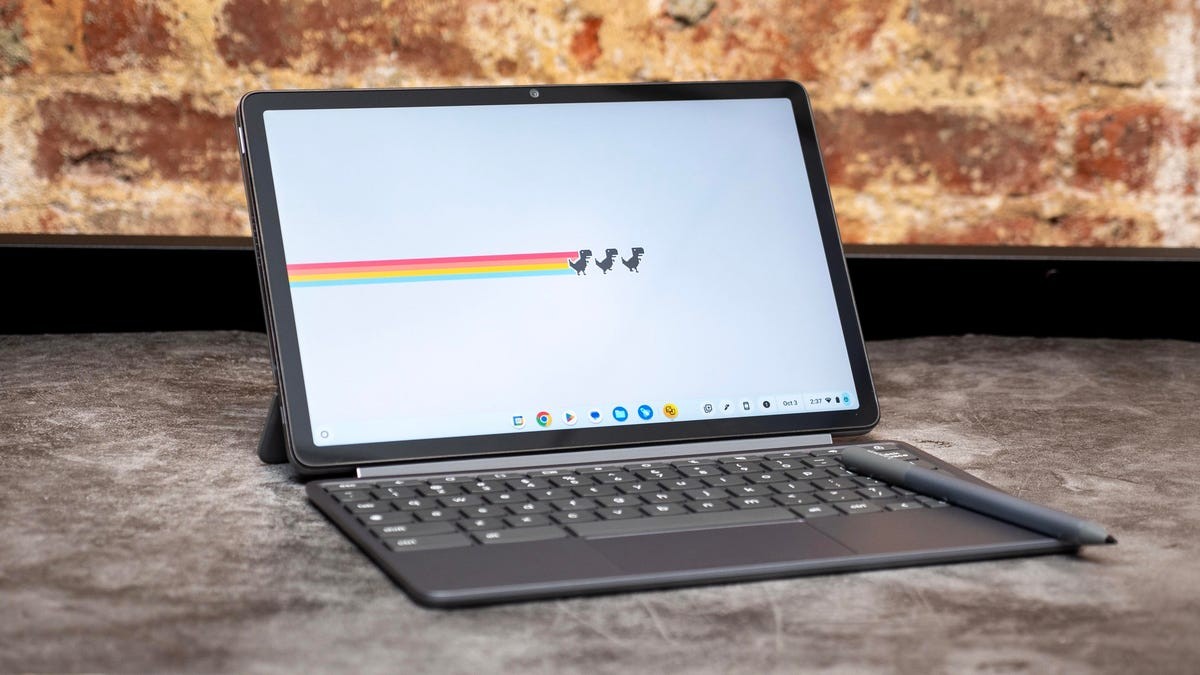
Chromebooks have evolved from simple, web-dependent devices into surprisingly capable laptops. While not a replacement for traditional Windows or MacOS machines, they offer a compelling alternative for many users – particularly those seeking affordability, simplicity, and seamless integration with Google’s ecosystem.
What is a Chromebook?
Chromebooks run ChromeOS, an operating system built around the Chrome web browser. Initially, this meant limited functionality; early models essentially functioned as glorified web terminals. However, modern Chromebooks have matured significantly. They now support Android apps, progressive web apps (PWAs), and even cloud-based professional tools, making them suitable for a wider range of tasks.
The biggest advantage? Price. Chromebooks can be found for under $300, making them an accessible entry point for students, budget-conscious consumers, or anyone needing a secondary device.
What Can and Can’t You Do With a Chromebook?
Chromebooks excel at everyday tasks: browsing, email, document editing (via Google Docs, Microsoft 365 online), streaming video, and light gaming. They integrate flawlessly with Google Workspace (formerly G Suite) and other web-based services.
However, they have limitations. Native compatibility with Windows or MacOS software is absent. If you rely on specialized desktop applications (like Adobe Creative Suite or professional video editors), a Chromebook won’t cut it. While Android apps fill some gaps, performance and compatibility can vary.
For power users, the inability to install traditional software remains a significant drawback.
Gaming on ChromeOS: More Than You Think
Gaming on Chromebooks is possible, thanks to cloud streaming services like Nvidia GeForce Now, Amazon Luna, and Xbox Cloud Gaming. These platforms offload processing to remote servers, allowing you to play demanding titles without needing high-end hardware.
Some Chromebooks now include faster 120Hz displays and even RGB lighting, catering to casual gamers. However, for serious PC gaming, a dedicated Windows gaming laptop remains the superior choice.
Chromebook Models: From Basic to Premium
Chromebook options have expanded dramatically. Basic models suffice for simple tasks, while higher-end Chromebooks offer faster processors (Intel Core, AMD Ryzen, or MediaTek), more memory (8GB+ recommended), and larger storage (128GB+ SSD).
Google’s Chromebook Plus tier guarantees a minimum standard of performance, including at least 8GB of RAM, 128GB of storage, and a 1080p display – ensuring a smoother user experience.
Auto Update Expiration (AUE): A Crucial Consideration
Before buying any Chromebook, always check its Auto Update Expiration (AUE) date. Google provides automatic software updates (including security patches) for a limited time. Older models may lose support sooner, leaving you vulnerable. Google maintains an official list of AUE dates; verify before purchasing, especially for used devices.
Offline Functionality: No Longer a Dealbreaker
Early Chromebooks were crippled without an internet connection. Modern ChromeOS has improved offline capabilities, with many apps (Netflix, YouTube, Spotify) offering downloads for offline use.
However, if reliable offline access is critical, a traditional laptop remains the better option. Chromebooks thrive in connected environments but can still function reasonably well when offline.
Price and Value: Where Chromebooks Shine
Chromebooks excel in affordability. While decent Windows laptops under $200 are rare, quality Chromebooks in that price range are readily available. Even premium Chromebooks typically stay below $800, offering excellent value for their capabilities.
The low cost and long battery life make Chromebooks ideal for students, travelers, or anyone needing a lightweight, portable machine.
In conclusion, Chromebooks aren’t for everyone. But for users prioritizing simplicity, affordability, and seamless integration with Google’s services, they represent a smart and practical choice. Carefully consider your needs, check the AUE date, and explore the growing range of models to find the perfect fit.