Most allergy apps promise the moon but deliver generic weather reports. Pollen+ is different. It is not just a forecast. It is a specialized tool for tracking pollen spikes across Europe. Developed specifically for those sensitive to airborne allergens, it offers precise three-day predictions. The data is localized to your exact geographical position. This matters because pollen levels change drastically over short distances.
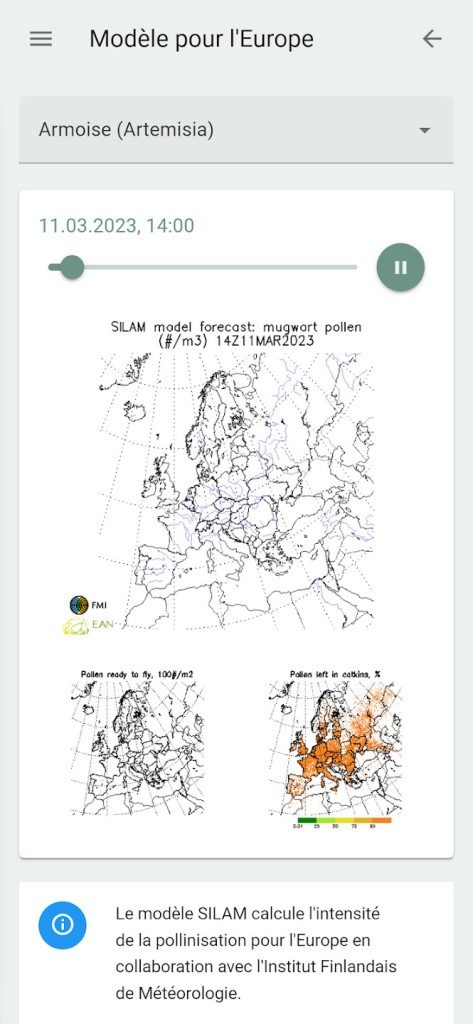
The strength of Pollen+ lies in its data synthesis. It does not guess. It compiles information from sensor networks and meteorological institutes. These are specialized bodies. The result is a rigorous scientific analysis displayed as risk maps. You get alerts. You get notifications. You stop reacting to symptoms and start preventing exposure. This is public health in your pocket.
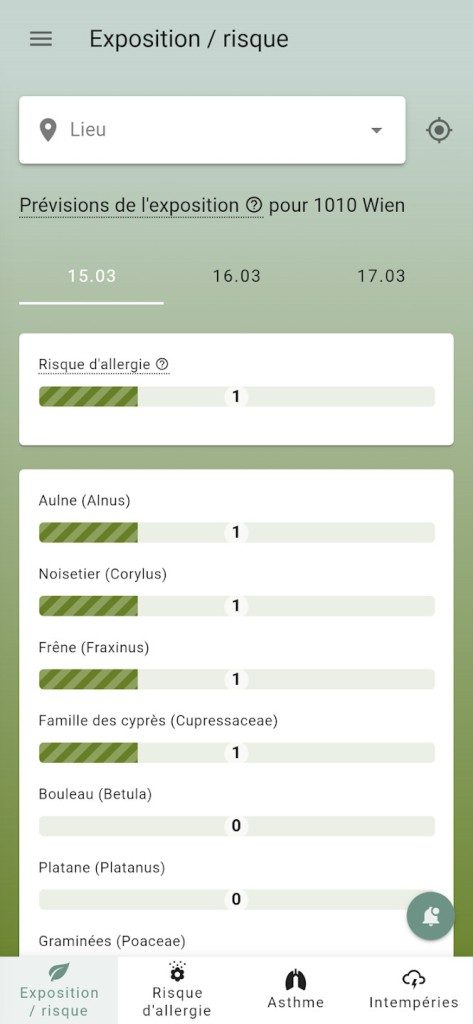
The interface is ergonomic. It uses color coding to signal risk levels instantly. Red means high danger. Green is safe. You can customize these alerts. This helps you plan outdoor activities. It helps athletes decide when to train. It helps doctors share quick summaries with patients. The design removes friction. You see the risk. You act.
Pollen+ turns passive observation into active prevention by syncing real-time sensor data with your location.
Compatibility and Installation Guide
Pollen+ is built for mobile. It runs on Android. It runs on iOS devices like the iPhone and iPad. The experience is consistent across both platforms. You get the same features. You get the same data accuracy. There is no native version for Windows, Mac, or Linux. If you need desktop access, you are out of luck for now. Developers prioritize mobile updates. They listen to community feedback.
Download is free. No account creation is required. This speeds up adoption. You can grab it from the Google Play Store for Android users. iOS users go to the App Store. Check your operating system version first. Most recent versions of Android and iOS support Pollen+. This ensures you get security patches and new features. Older devices might struggle. But the majority of the market is covered.
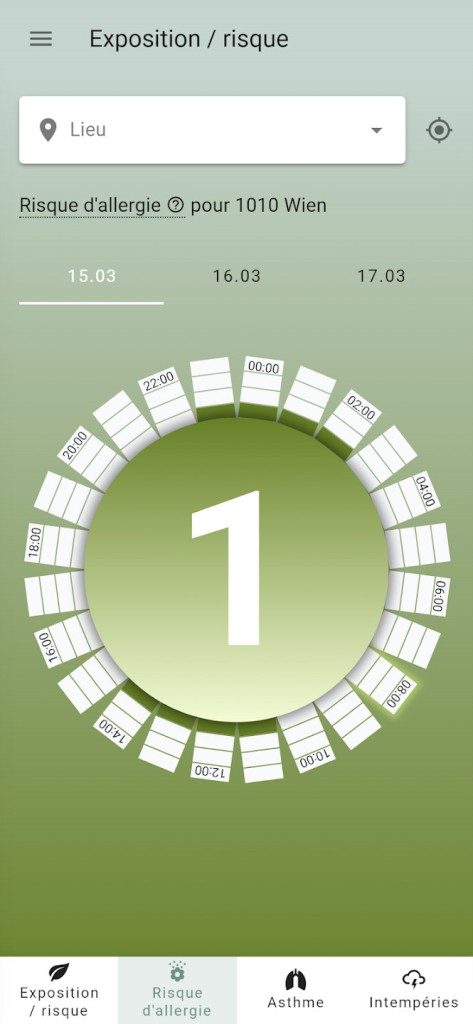
Installation is straightforward. The interface is clean. It guides you through setup. The first step is geolocation. Allow it. The app needs your coordinates to give accurate local data. Once granted, the home screen shows updated pollen risk for the next three days. Navigation is intuitive. You can check specific pollen types. You can adjust notification settings. You can search for a different location if you travel.
Allowing geolocation is not optional for accurate data. The app uses your position to filter regional pollen counts.
Updating and Troubleshooting
Updates happen regularly. The app expands its scope. New pollen families are added. Forecast resolution improves. The goal is to integrate into daily health management. It is not just information anymore. It is an ecosystem. Collaborative features and educational content are evolving.
If you face issues, the process is standard. On Android, open the Play Store. Search for Pollen+. Click “Update” if a newer version is available. On iOS, go to the App Store. The process is identical. Technical support is responsive. If you have questions about feature evolution or need to restore an older version, they are there. You are not abandoned after download.
The app is getting smarter. It is becoming less of a simple bulletin and more of a health companion. For families, athletes, and professionals, it provides a rapid, reliable support system. The trend is toward deeper integration into daily life.
Is it perfect? No app is. But for managing seasonal allergies in Europe, it stands out. The data is grounded in science. The design respects your time. The updates keep it relevant. You might still sneeze. But you will know why. And you will know when to stay inside. The rest is up to you.
Pollen+ stands out in the crowded health-tech space for one simple reason. It is completely free.
There are no paywalls. No subscription tiers. No student discounts because none are needed. The developers have stripped away the typical gatekeeping found in premium health apps. You get real-time data. You get risk maps. You get personalized alerts. All of it, without opening your wallet.
This model removes barriers to entry. It does not matter if you are an athlete, a parent, a doctor, or just someone who wants to plan a weekend hike without sneezing. The granularity of the data serves everyone.
How the Free Model Works
The absence of in-app purchases is a deliberate choice. The core service remains robust. There are no “premium features” locked behind a virtual paywall. This transparency helps build trust. Data security remains high. Privacy is maintained.
Some third-party partners might eventually offer advanced options. But these are independent. They do not touch the core pollen monitoring engine. This separation ensures the main tool stays focused on its primary mission: accurate, timely information.
Downgrading to an older version? Not recommended.
The developers prioritize stability and security. Sticking to the latest build is the only path forward. It is not about obsolescence. It is about protecting user data in an increasingly complex digital landscape.
Core Features and Daily Utility
What can you actually do with the app right now?
The current feature set covers several critical areas. You get a three-day pollen risk forecast for specific geographic zones. This is not vague. It is precise. The app identifies the specific pollen families currently in circulation.
This matters for planning.
- Outdoor Activity Planning: Know when to schedule your run or picnic.
- Personalized Alerts: Get notified when pollen counts spike in your area.
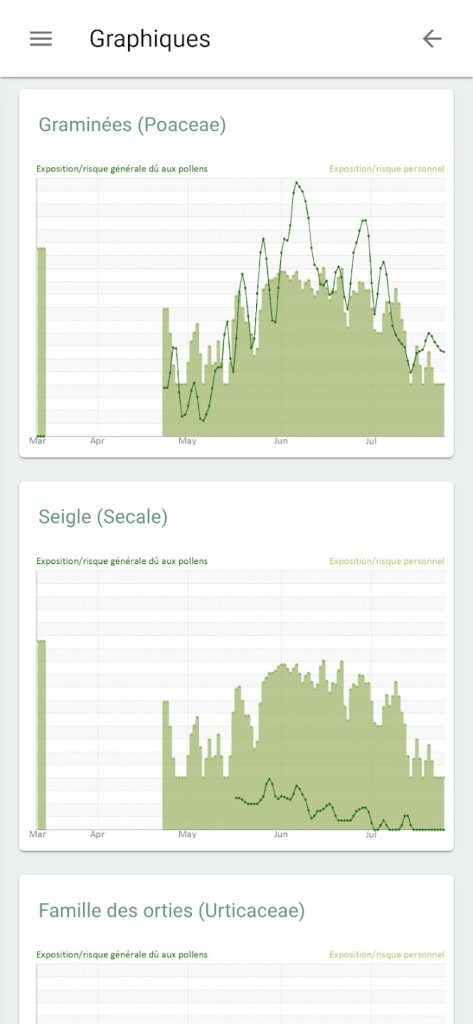
- Historical Data: Review recent trends to understand your allergy patterns.
The internal search engine is another key component. It allows users to target specific regions across Europe. This is vital for travelers. If you are moving between cities, the app adapts. It provides local data where you need it.
For allergics, this is daily relief. For their families, it is peace of mind. The science is simplified but remains actionable.
Why No Certification or Training?
You will not find academic certifications within Pollen+. There are no specialized training programs. The design philosophy is rooted in simplicity. It targets the general public. Complex validation processes would slow down access to critical information.
However, education is still provided.
Detailed resources are available on the developer’s website. Partner health platforms also offer content. These materials help users understand how pollen allergies work. They explain prevention strategies. They guide users on how to interpret the data the app provides. The goal is empowerment, not just notification.
Alternatives and Market Context
Pollen+ sits in a competitive ecosystem. Apps like “Alerte Pollens” and “RNSA” share similar goals. They track pollen levels. They serve public health needs.
But Pollen+ differentiates itself through execution.
The three-day forecast offers finer granularity. The data sources are dense and diverse. The interface is cleaner. Many competing tools are developed by local authorities or scientific associations. They often lack broad geographic coverage or user-friendly design. Pollen+ bridges that gap.
Security and scientific rigor are non-negotiable here. The rise in pollen allergies is documented by epidemiological studies. Environmental shifts play a role. The app responds to this growing demand.
Future Trajectory and Innovation
The sector is evolving. Pollen+ is not static.
User feedback drives development. Testing protocols are rigorous. Collaborations with European scientific institutes ensure the science stays current. This is not just app development. It is public health infrastructure.
What is coming next?
Advanced alert personalization based on medical profiles is on the horizon. Integration with air quality monitoring devices is also in the pipeline. Partnerships with laboratories and patient associations will help relay research news. These moves reinforce the educational mission.
The app operates at the intersection of mobile technology, public utility, and environmental monitoring. It is becoming indispensable for those managing allergy risks. Whether you need it for a one-time trip or long-term management, the utility is clear.
It is not just an app. It is a tool for living better in a changing environment. The question is whether you will keep up with the data or let the data surprise you.
Pollen+ System Requirements and Setup
You want to download Pollen+. The first step is simple. Go to the Apple App Store or Google Play Store. Check your device compatibility. It works on smartphones and tablets. Both Android and iOS users get the same core experience. There are no hidden fees. The app is free. No in-app purchases block the basic features. You don’t need a subscription to get the data.
Why Location Matters for Accuracy
Internet connectivity is non-negotiable. You need a signal to fetch real-time risk maps. The app pulls from European aerobiology networks. It mixes this with meteorological data. If you’re offline, you’re blind.
Location services are optional. But you should enable them. Why? Because pollen doesn’t care about zip codes. It drifts. Local alerts depend on your precise position. Without GPS, the warnings are generic. With them, they’re relevant. You can turn these settings off later if privacy is a concern. The data collection is consensual. It stops when you disable it.
Interface and Accessibility
The interface avoids clutter. It uses color codes. It relies on pictograms. Reading the risk levels is fast. This matters when you’re allergic. You need quick answers. Not a textbook. The design is clear. It works for everyone.
Installation and Updates
Updates roll out through the official stores. If you have automatic updates on, you’re safe. You don’t have to hunt for patches. The latest version arrives automatically. This keeps the aerobiological models current. Outdated apps give outdated forecasts. Don’t let that happen.
How to Configure for Your Needs
Notifications are customizable. Adjust them to your sensitivity. Do you need a ping every time pollen spikes? Or just the big ones? You decide. The permissions are standard. Location. Notifications. Nothing invasive. Just the basics needed to track airborne threats.
This setup isn’t complex. It’s practical. You’re integrating a prevention tool into your daily routine. No license keys. No login walls. Just clean, reliable data. The trade-off is minimal. You give up a bit of location data. You gain peace of mind. Is that too high a price for avoiding sneezing fits? Probably not.
The hidden cost of open source: why your free tool isn’t actually free
The open-source model has a blind spot. It assumes that code is the only valuable input. That assumption is wrong.
You get the software for zero dollars. The license fee is nonexistent. But someone has to pay for the servers. The developers need to eat. The infrastructure costs money. This is where the illusion breaks down.
Most users see a price tag of $0 and assume they are getting a deal. They are not. They are trading privacy, control, or future costs for immediate convenience.
Who is actually paying the bill?
When you use a free tier of a popular service, you are often the product. Or worse, the maintenance burden falls on the community. That sounds noble until the key maintainer quits.
Then what?
The project stalls. Bugs pile up. Security vulnerabilities remain unpatched because no one has the time or incentive to fix them. This is not hypothetical. It happens every quarter.
“Free software is often the most expensive option in the long run due to lack of professional support and security updates.”
This dynamic creates a fragile ecosystem. One developer’s burnout can take down an entire industry-standard tool. Think about the OpenSSL Heartbleed vulnerability. It was a tiny flaw in a massive project maintained by a handful of volunteers. The cost of fixing it wasn’t just developer hours. It was global economic damage.
The vendor lock-in trap
Commercial software locks you in with contracts. Open source locks you in with complexity.
Learning a new proprietary interface takes weeks. Learning a new open-source stack takes months. The data formats are often obscure. The documentation is scattered across forums and outdated wikis.
If you build your entire workflow around a niche open-source tool, you are vulnerable.
- No SLA: If it breaks at 3 AM, you are on your own.
- No support ticket: You have to dig through GitHub issues from 2019.
- No liability: If the data is lost, no one can be sued.
This isn’t a warning against open source. It’s a warning against naivety.
When to pay and when to fork
The smart move is knowing when to let go of the free label.
If your business relies on a specific tool for core operations, you need a service level agreement. You need a vendor who can be held accountable. In those cases, buying an enterprise license for an open-source product is the right move. Companies like Red Hat proved this model decades ago.
For smaller teams, the calculation is different. You might accept the risk. You might enjoy the flexibility. Just know that you are paying with your time.
The time spent troubleshooting a configuration file is time not spent on innovation.
Is that exchange worth it?
For some, yes. For others, it’s a slow leak of resources. The line between “free” and “cost-effective” is thinner than most developers admit.
The rise of “Open Core”
The industry is shifting. Pure open source is rare now. Most successful projects use an “open core” model.
The base software is free. The advanced features are paid.
This solves the funding problem. It also creates a new kind of friction.
You start with the free version. It works well.