Input is the lifeblood of any interactive program. Without it, you’re just running a calculator in a vacuum. In the C programming language, the workhorse for grabbing data from the keyboard is scanf. It’s simple. It’s everywhere. But it’s also notorious for being unforgiving when things go wrong.
For basic scripts or quick prototypes, scanf does the job. It reads from stdin (standard input). If you’re typing on a keyboard, that’s where your characters land. The function is versatile, but it lacks robust error handling. It doesn’t care if you type a letter when it expects a number. It will just sit there, or worse, crash your program. That’s why it’s great for simple tasks but poor for production-grade software.
The Syntax and The Ampersand
Let’s look at the simplest possible use case. You want an integer. You ask for it. You store it.
scanf("%d", &b);
That’s it. Two arguments. The format string and the target.
The %d tells scanf to expect an integer. It’s the same placeholder you use in printf. The variable b must be declared as an int. If it’s not, you’re asking for trouble.
Here is the part that trips up beginners every time: the ampersand (& ).
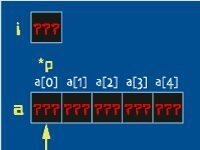
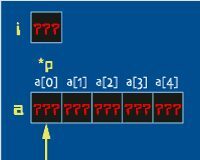
&b is not a typo. It’s a pointer. Specifically, it’s the address of the variable b. scanf doesn’t take the value; it needs the memory location to write the input into. Forget the &. Your code might compile. But when you run it? Crash. Segfault. Void. The program will almost certainly terminate abruptly because it tries to write to a random memory address.
Formatting Flags
scanf uses the same conversion specifiers as printf. If you know one, you know the other. But context matters.
- Integers :
%d - Floating-point numbers :
%f - Single characters :
%c - Strings :
%s
Keep them straight. Swap an %f for an integer and you’ll get garbage data or a crash.
Why scanf Isn’t Enough
You can chain scanf calls to read multiple values.
This works for numbers. It’s clean enough. But try reading a full line of text? It breaks. scanf with %s stops at the first whitespace. It doesn’t read the whole line. And it doesn’t handle buffer overflows safely.
For real programs, you should avoid scanf for text input. Instead, use gets (which is deprecated and dangerous) or, preferably, fgets. These functions read a line at a time into a buffer. Once you have the line, you can parse it. You can check for errors. You can validate that the input looks like a number before you try to convert it. scanf skips this step. It assumes you know what you’re doing. You usually don’t.
Breaking Things on Purpose
The best way to learn C isn’t by reading documentation. It’s by breaking the compiler.
Take this snippet:
Modify it. Make it worse.
Delete b from the variable declaration. Watch the compiler scream about an undefined variable.
Delete a semicolon. See how the syntax error propagates.
Remove a brace. Watch the parser lose its mind.
Delete a parenthesis. Observe the confusion